Open the Beginner Packs
Use the class gear from the level 15, 40, and 70 packs as a bridge while better hunting drops replace it.
See the milestonesDo these early so ordinary leveling also produces quest rewards and Online Points.
Use the class gear from the level 15, 40, and 70 packs as a bridge while better hunting drops replace it.
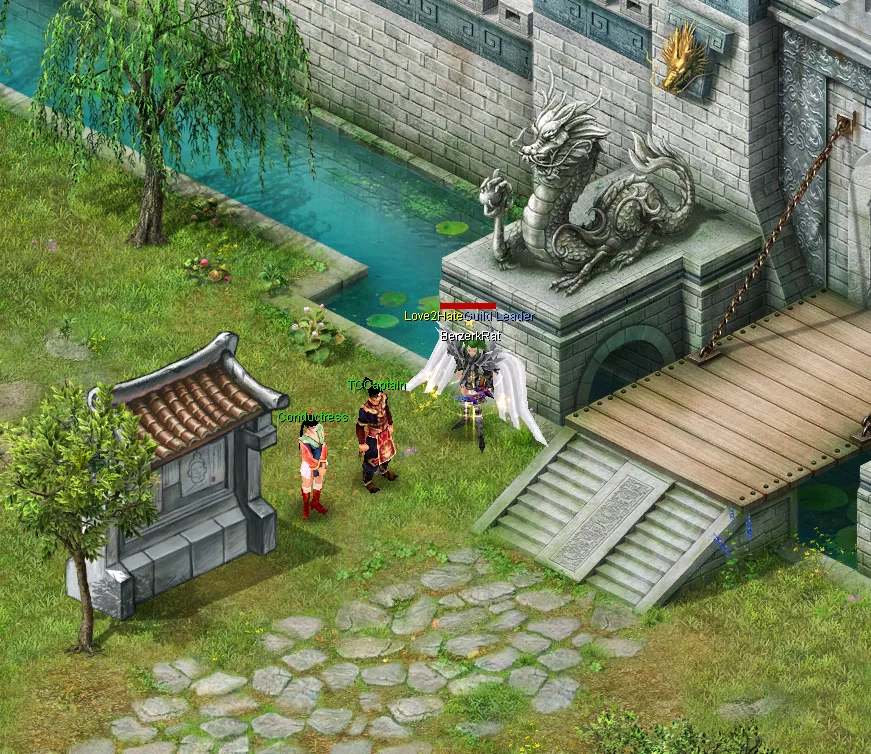
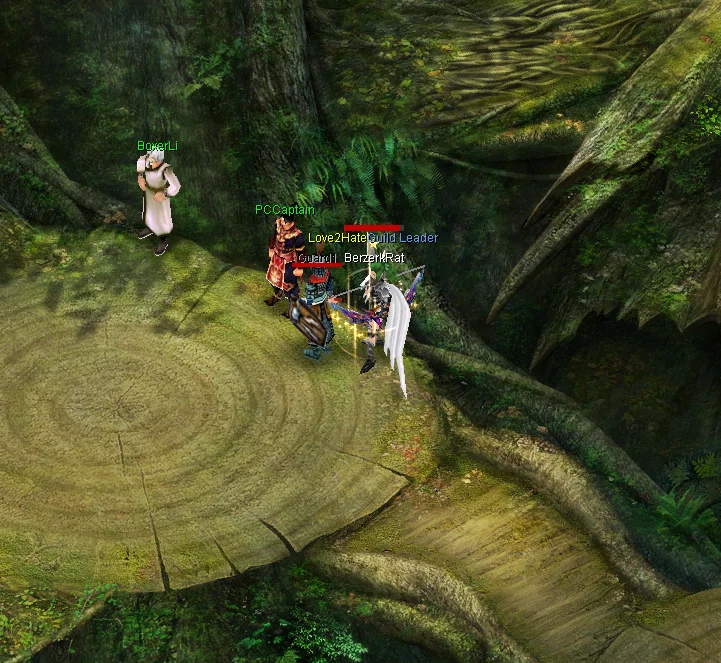
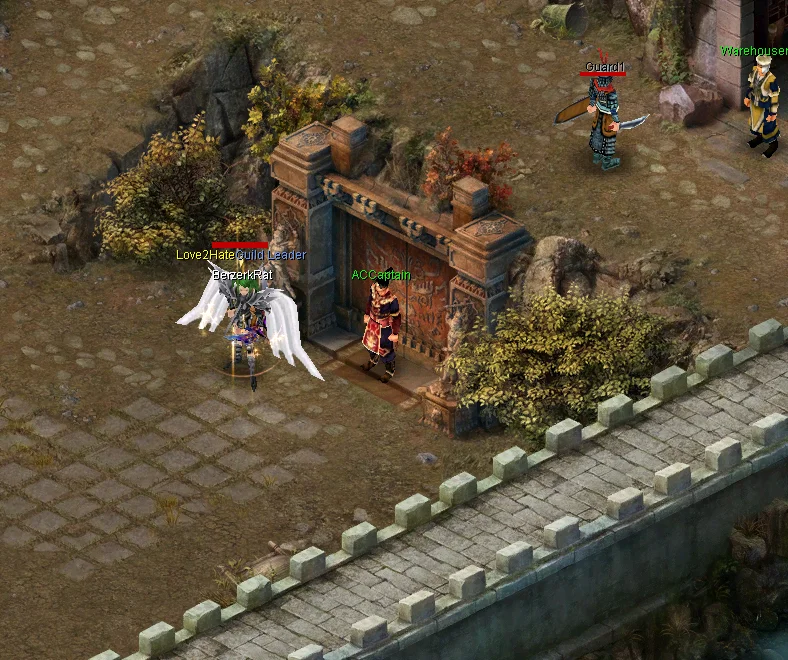
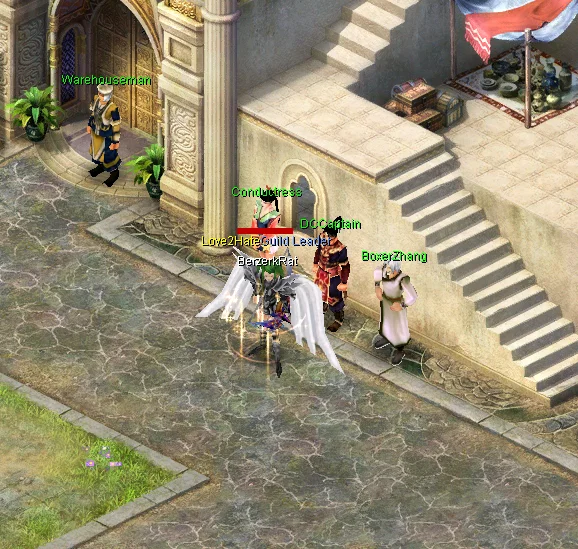
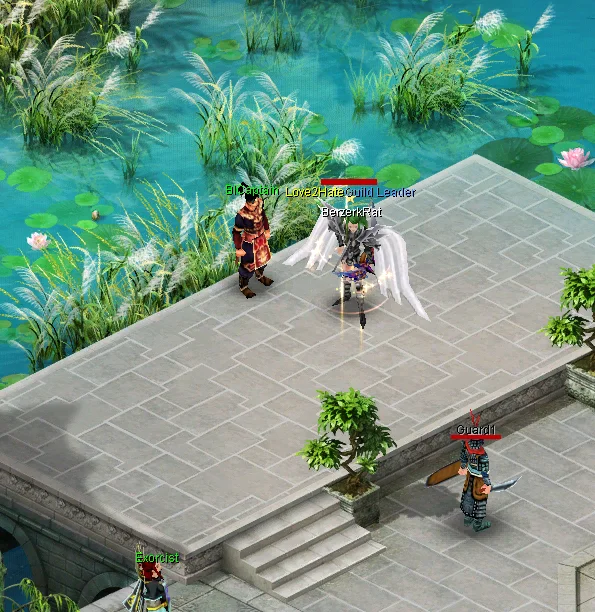
See the milestonesTake a Jar from the Captain serving your current monsters. Only your own kills fill it, and a completed task can be repeated immediately.
Find your CaptainEvery 60 eligible active minutes earns 1 OP, or 2 with Discord activity sharing. Partial progress persists across reconnects. Spend OPs at OnlinePoints in Twin City (436, 383); AFK time does not count.
View the OP shopHunt efficiently, then visit the [Daily] and [Weekly] quest NPCs beside Twin City's Guild Controller for reliable progression.
Follow the spawn guide, but stay where your current character can kill safely and efficiently.
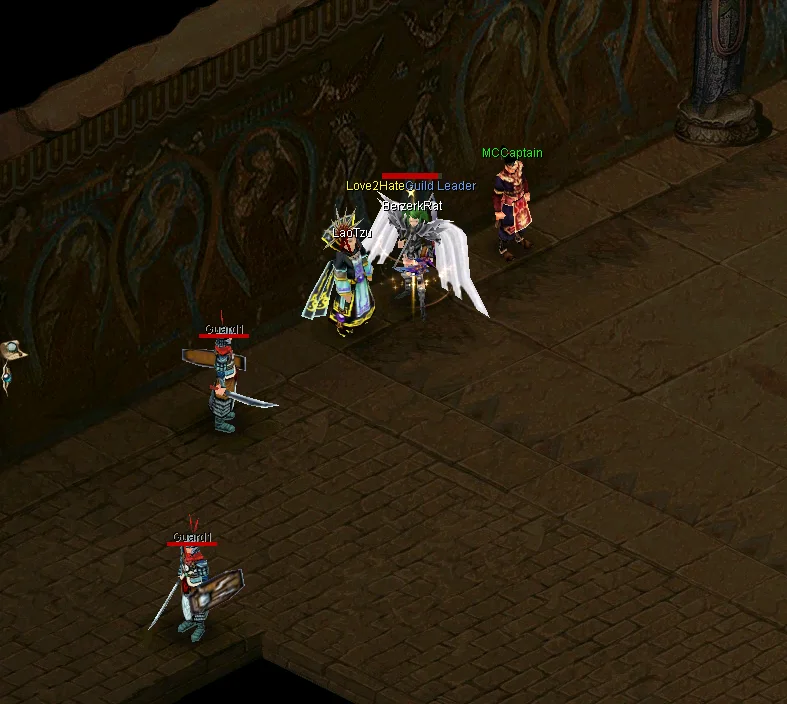
BirdmanCPT and LaoTzu near Twin City's Guild Controller each offer one account-wide personal-kill quest per day. Each completion awards one randomly selected set of three identical Normal +1 equipment items and 250,000 silver.
Check the [Daily] coordinator beside the Guild Controller and find roaming Ming. Levels 20–129 earn level-scaled EXP; eligible level-130 characters earn a smaller unboosted Prestige reward.
Meaningful scheduled PvP participation and a controlled Refined Gem turn-in award Event Points, normal EXP, and a bound Triple EXP Pill.
Pet kills award their XP directly to you, and an active pet can redirect an existing equipment drop toward its listed gear family. Pet Eggs can drop outside Meteor Zone.
Job promotions take time and materials, so complete each one near its intended level instead of leaving the whole chain for the end.
The launch guide stops here. Use the detailed pages only when that system becomes relevant.
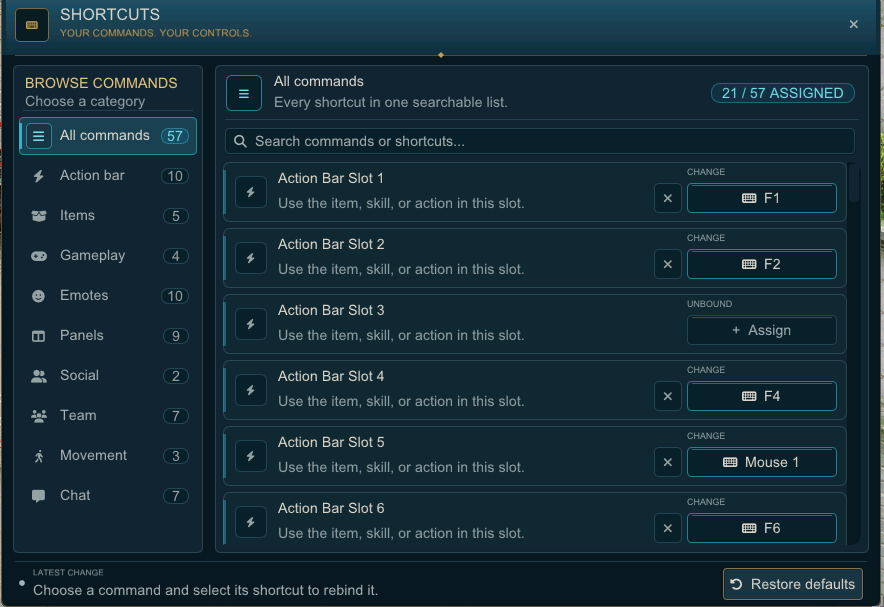
LOG\shortcut_settings_[character UID].ini.Activate any item, skill, or action assigned to its action-bar slot.
Deposit, sell, trade, upgrade, compose, or insert gems into socketed items without dragging them.
Rebind Bulk Buy, item linking, stack splitting, and stack combining.
Configure AutoJump, player hiding, FPS reset, screenshots, and other utility controls.
Rebind emotes, panels, social actions, team actions, and movement controls.
Search messages, reorder tabs, pick a recipient, clear the current tab, focus the message box, or show and hide chat.
The original Instant Message shortcuts now show, hide, or focus chat.
Select the X beside a shortcut and confirm Yes, clear it to leave that command unbound. Choose Defaults at the bottom of the manager to restore every shortcut to its default binding.
/. Command names are case-insensitive. A command may still reject the action when its event, map, inventory, life-state, or account requirements are not met.Toggle World Chat on or off for your character.
Persistently block all chat from a player. Moderator accounts cannot be blocked.
Remove a player from your saved chat block list.
Show how many players are on your current block list and sync the list to the client.
Submit a bug report to the server database with your character name and description.
Open the vote page. Opening it is limited to once every 12 hours; a reward remains pending until the provider verifies the vote.
Enter the permanent PvP waiting and shop area at any time, whether or not an event is running. The Event Points Shop is at (54, 52). During an open invitation, eligible characters also join the current PvP event; other visitors can still use the shop.
Join the City War that is currently running.
Apply or clear the local night screen tint.
Safely disconnect the current game session.
Show your current account-wide Donation Point balance.
Preview a garment by item name. Keep at least one inventory slot open before using it.
Spend available attribute points in bulk. VIP players can also allocate the same stats through the in-game VIP menu.
Teleport to TC, PC, AC, DC, BI, MC, JC, PKA, MZ, AZ, MK, SC, or Alter. It is blocked while dead, named, jailed, in an event, and on restricted war maps.
Leave a non-empty vending booth online, then disconnect the active client.
Toggle automatic mining. Auto-Mining keeps gems and discards ore; it requires stored purchased or earned VIP time, or a Mining Pass. Free Launch VIP does not unlock it.
List the boss names that are currently spawned.
Toggle the VIP sparkle aura on or off.
Delete items the server classifies as junk. Review your inventory before running this irreversible cleanup.
Only one EXP booster can be active at a time. Every tier affects both normal leveling and Prestige XP.
| Booster | Effect | Duration | Primary Source |
|---|---|---|---|
| Exp Potion | x2 EXP | 1 hour | Ordinary progression rewards |
| ExpPill | x3 EXP | 2 hours | Possible drop from either Ganoderma or Titan |
| Super EXP Potion | x4 EXP | 2 hours | Donation Shop — 5 Donation Points |
Every new character starts with a Beginner Pack. Open each chained pack at its listed level for class-appropriate equipment and the next milestone pack. Leave inventory space before opening one.
| Level | Pack progression |
|---|---|
| 15 | Open the starting pack for level-appropriate class gear and the level 40 pack. |
| 40 | Open the level 40 pack for the next class gear set and the level 70 pack. |
| 70 | Open the final chained pack for its class-appropriate equipment. |
The level-difference bonus is 1.5× when a monster is 9–15 levels above you and reaches its maximum 1.8× at 16+ levels above. Use the table as a survivable route; move up sooner when your gear can kill efficiently.
| Water Level | Noob Level | Target Monster | Location |
|---|---|---|---|
| 00 – 83 | 71 and below | HawKings (L92/93) | Bird Island |
| 00 – 78 | 71 and below | AlienApes (L92) | Adventure Zone |
| 78 – 83 | 76 and below | SeniorSnakemen (L97) | Adventure Zone |
| 83 – 93 | 81 and below | Serpents (L102) | Adventure Zone |
| 93 – 98 | 91 and below | AlienSerpents (L112) | Adventure Zone |
| 98 – 110+ | 97 and below | Basilisks (L117) | Adventure Zone |
| 103+ | 101 and below | IcySerpents (L122) | Grotto 1 |
| 108+ | 106 and below | — | Grotto 3 or 4 |
Lock Panels is off by default. Open Options → Interface → Edit HUD when you want to arrange everything at once.

Header dragging is available by default. Turn on Lock Panels to prevent accidental moves during normal play.
Choose Edit HUD in Options. Every outlined window can be resized from a blue corner or moved from its top bar.
Drag any blue corner to resize. Move the Main HUD with its rail and move the icons by dragging inside their blue outline.
Each Captain shows targets below the listed level cap. Quotas are intentionally sized for a character progressing through that area, not for a max-level Archer's endgame clear speed.
| Captain & progression range | Target shown by the NPC | Kills |
|---|---|---|
| TCCaptain Twin City (435, 438) Through level 29 |
Pheasant — below level 10 | 30 |
| Turtledove — below level 15 | 50 | |
| Robin — below level 20 | 50 | |
| Apparition — below level 25 | 50 | |
| Poltergeist — below level 30 | 50 | |
| PCCaptain Phoenix Castle (210, 255) Through level 49 |
FlyingSnakes — below level 35 | 150 |
| Bandits — below level 40 | 200 | |
| Ratlings — below level 45 | 200 | |
| FireSpirits — below level 50 | 200 | |
| ACCaptain Ape City (577, 555) Levels 41–69 |
Macaque — below level 55 | 250 |
| Giant Ape — below level 60 | 300 | |
| Thunder Ape — below level 65 | 300 | |
| Snakemen — below level 70 | 300 | |
| DCCaptain Desert City (479, 630) Through level 89 |
Sand Monsters — below level 75 | 350 |
| Hill Monsters — below level 80 | 400 | |
| Rock Monsters — below level 85 | 400 | |
| Blade Ghosts — below level 90 | 400 | |
| BICaptain Bird Island (705, 571) Through level 104 |
Birdmen — below level 95 | 500 |
| HawKing — below level 100 | 600 | |
| BanditL97 — below level 105 | 600 | |
| MCCaptain Mystic Castle (309, 633) Through level 120 |
TombBat — below level 110 | 800 |
| BloodyBat — below level 115 | 800 | |
| BullMonster — below level 120 | 800 | |
| RedDevil — through level 120 | 1,000 | |
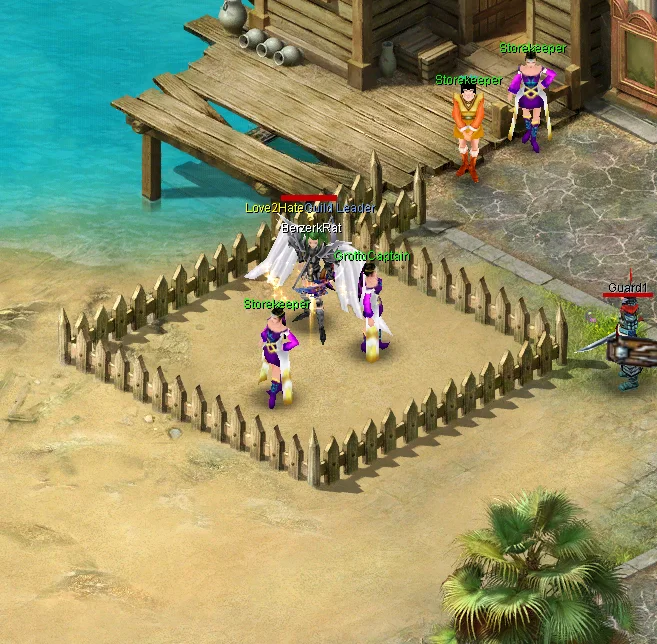
| GrottoCaptain Desert City (471, 642) Through level 128 |
IcySerpent — below level 125 | 800 |
| IcyBladeDevil — below level 127 | 800 | |
| GrottoLady — through level 128 | 800 | |
| DarkLady — through level 128 | 1,000 |
The experience entry is the base seconds-equivalent award. Normal EXP rate, Rainbow Gems, timed EXP potions, Heaven Blessing, team bonuses, server EXP events, and Prestige modifiers do not multiply it. A worn Legendary Dress is the single exception and adds 50%.
| Captain | Base EXP | Materials / CP rolls |
|---|---|---|
| Twin City | 120 seconds equivalent | 1,000–10,000 silver, determined by target |
| Phoenix Castle | 300 seconds equivalent | 1 Meteor · 25% second Meteor · 25% 20–29 CPs |
| Ape City | 650 seconds equivalent | 1 Meteor · 50% second Meteor · 25% 30–49 CPs |
| Desert City | 850 seconds equivalent | 2 Meteors · 15% 75–124 CPs |
| Bird Island | 1,200 seconds equivalent; BanditL97 awards 1,800 | 4 Meteors · 12.5% 100–199 CPs |
| Mystic Castle | 1,800 seconds equivalent | 4 Meteors · 15% 215 CPs |
| Frozen Grotto | 2,400 seconds equivalent | 1 Meteor Scroll · 5% DragonBall · 5% 215 CPs |
This is a separate six-stage endurance Jar from DemonCull (NPC 8711), located in Twin City (359, 327) near the Guild Controller. It requires 9,500 personal kills: 500 in Twin City, 800 in Phoenix Castle, 1,200 in Ape City, 1,800 in Desert City, 2,200 in Bird Island, and 3,000 in Mystic Castle. Completing all six stages guarantees 1 DragonBall and 1 Meteor Scroll. The reward may be claimed once per server-local calendar day, account-wide, resets at server midnight, and has no separate EXP turn-in reward.
| Quest giver | Personal target | Guaranteed reward |
|---|---|---|
| BirdmanCPT (NPC 750013) Twin City (355, 327), near the Guild Controller |
HawKings | 250,000 silver + three identical Normal-quality +1 Necklaces or Taoist Bags |
| LaoTzu (NPC 750014) Twin City (357, 327), near the Guild Controller |
BullMonsters | 250,000 silver + three identical Normal-quality +1 Rings, Heavy Rings, or Taoist Bracelets |
| Character category at acceptance | Kills required per quest |
|---|---|
| Archer | 4,000 |
| Fire Taoist with FireCircle or FireOfHell learned | 2,500 |
| Every other class/setup | 1,500 |
At levels 20–129, completion grants 25%–150% of the current normal level. Lower levels receive the larger reward; higher levels never receive less than 25%. At level 130 with second rebirth, it instead grants unboosted Prestige EXP equal to 5,000 reference kills. Neither reward is multiplied by potions, gems, equipment, events, or class normalization, and the quest grants no items, Event Points, CPs, or silver. A character at maximum Prestige cannot consume the daily claim.
Speak with EventHub (NPC 750017) at Twin City (363, 327), marked [Weekly]. Qualify in 4 different scheduled PvP event runs, then claim 6 Event Points. Levels below 130 also receive 75%–250% of the current normal level, with the larger reward at lower levels. Eligible level-130 characters instead receive unboosted Prestige EXP equal to 25,000 reference kills.
Speak with GemCollector (NPC 750016) at Twin City (365, 327), marked [Weekly]. Turn in 8 Refined utility gems in any combination to receive a character-bound 2-hour Triple EXP Pill and 2 Event Points.
| Accepted Refined Gems | Not accepted |
|---|---|
| Fury, Rainbow, Kylin, Violet, and Moon | Phoenix, Dragon, Tortoise, Normal gems, and Super gems |
Each NPC in the chain must be spoken to in order before the next will respond. Keep an inventory slot open for every exchange.
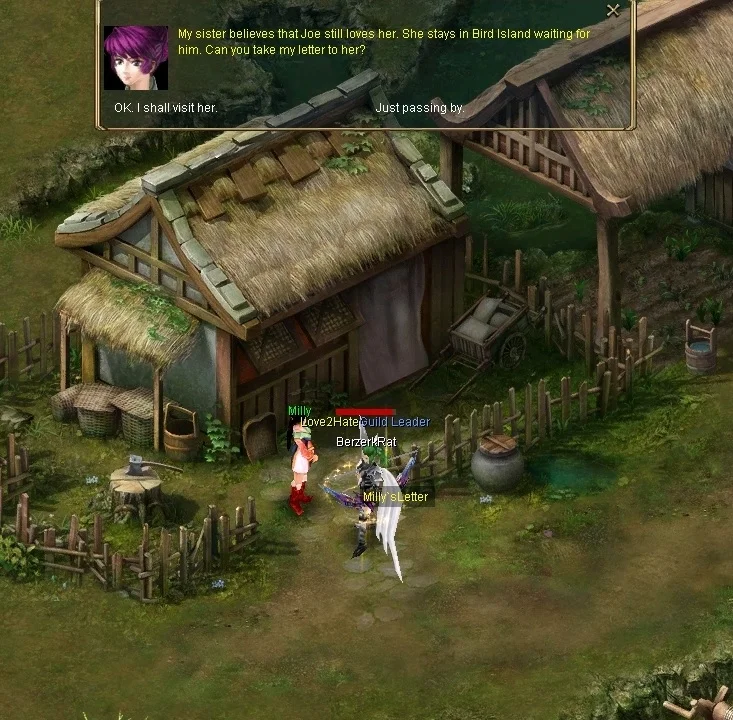
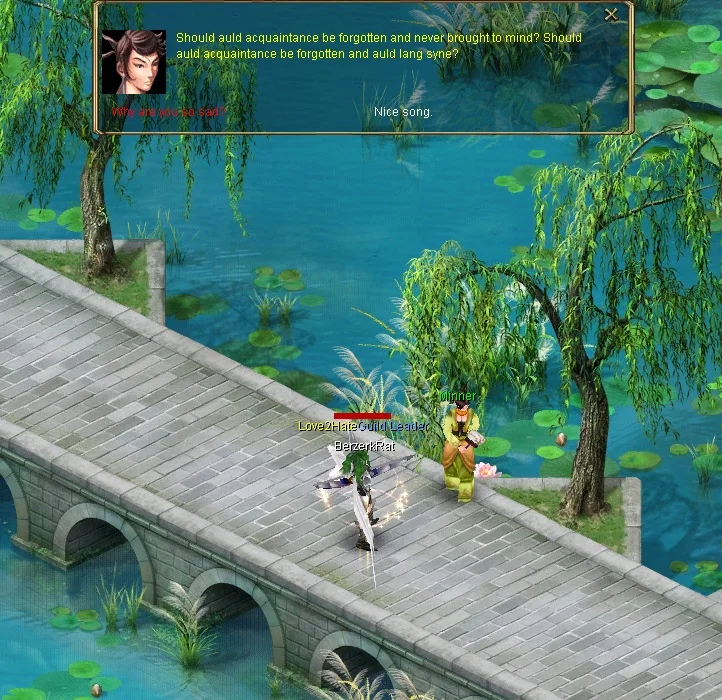
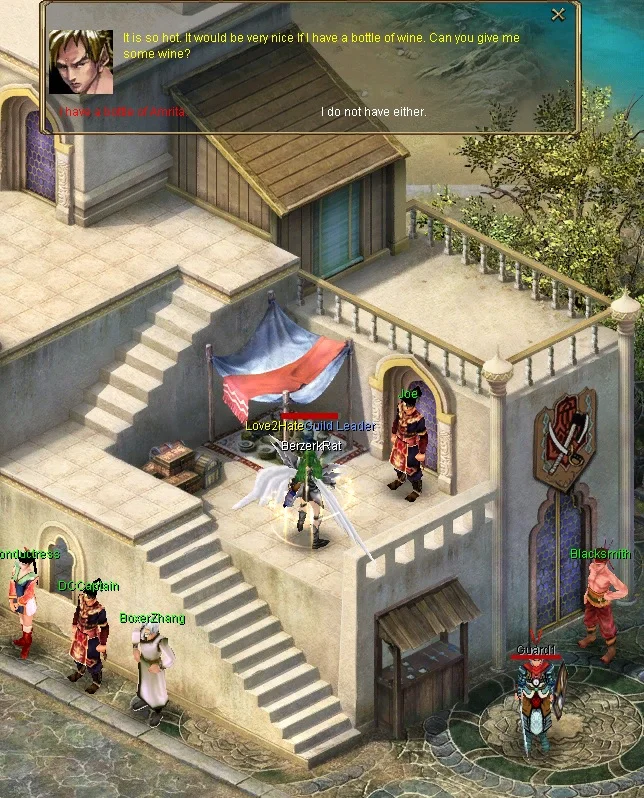
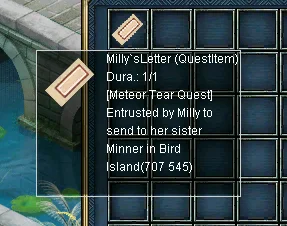
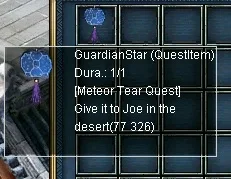
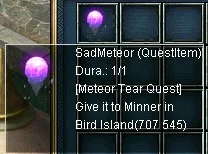
Entry NPC: FireFaery (GreenSnake quest dialog), Bird Island (326, 94)
Recommendation: Level 110+ with potions and mid-tier equipment. Entry remains open to every level.
Boss: SnakeKing, level 120, around (95, 483) inside Snake Islands.
Respawn: One server-wide SnakeKing, 2 hours 30 minutes after it dies.
Intended fight: Roughly 2–6 minutes for an appropriately equipped level-110/mid-tier player.
Use Shift Screen to extend your view while jumping between islands. The nearby WaterSnakes are dangerous, but clearing every monster is not required. An experienced runner can reach the boss in under a minute; a cautious first run usually takes 2–5 minutes.
| Reward | Chance |
|---|---|
| Meteor Scroll | Guaranteed |
| DragonBall | 40% |
| Refined Dragon Gem | 10% |
| Refined Rainbow Gem | 10% |
| Super Dragon Gem | 0.25% |
| Class 3 Money Bag | 50% |
| Profession Token | 25% |
NPCs: Daniel (Dreamland 155,166), God Cloud (Dreamland 82,187)
Repeatability: No daily cap or cooldown. Start another run whenever you are ready.
Rewards: Box 1 is fixed; Box 2 rolls one of five weighted outcomes shown below.
There are five floors, with routes built around level 78, 88, 98, 108, and 118 monsters. On each of the first four floors, the gate may advance you immediately or send you into that floor's battle stage. A failed gate is not the end of the run: earn the stage token, return to the same floor, and try the gate again. The fifth-floor battle is mandatory.
| Choice | Reward | Chance |
|---|---|---|
| Box 1 — safe | 1 Meteor Scroll + 5 Meteors | Guaranteed |
| Box 2 — gamble | 1 Meteor Scroll | 40% |
| Box 2 — gamble | 1 Meteor Scroll + 5 Meteors | 30% |
| Box 2 — gamble | 2 Meteor Scrolls + 5 Meteors | 20% |
| Box 2 — gamble | 50 CPs | 5% |
| Box 2 — gamble | 1 DragonBall | 5% |
MoonBoxes may also enter the economy through Lab bosses, Terato Dragon, Wally, or player trade. Keep one available for profession promotion requirements before opening every box you obtain.
| Independent roll | Chance | Result |
|---|---|---|
| Equipment | 75% | One Refined-or-better non-weapon equipment item |
| DragonBall | 7% | 1 DragonBall |
| DragonBall Scroll | 0.4% | 1 DragonBall Scroll |
| Remaining output slots | Guaranteed fill | Meteors until the reward contains three items |
A successful equipment roll starts at Refined quality. It then receives an independent 15% promotion check at each step through Unique, Elite, and Super. The final conditional quality distribution is 85% Refined, 12.75% Unique, 1.9125% Elite, and 0.3375% Super.
NPCs: Craftsman Market (191, 91), Carpenter Market (196, 91), House Agent Twin City (400, 284), and House Admin Market (199, 87).
If you want to go home, just ask House Admin to teleport you home. Your spouse can enter your house whenever he/she likes. And he/she can also take out items from the item box in your house. Your friends cannot enter your house unless you team them up to lead them to your house.
NPCs: Stoneman Market (238, 176), House Agent Twin City (400, 284), and House Admin Market (233, 176).
Level Recommendation: Organized level-70 group minimum; level 100+ is recommended for a comfortable clear. Entry is not level-gated.
NPCs: Exorcist (Bird Island 715,584), Warrior Guard (Ancient Island 229,233), Trojan Guard (Ancient Island 191,201), Fire Guard (Ancient Island 181,176), Water Guard (Ancient Island 206,179), Archer Guard (Ancient Island 243,219)
Rewards: 1 Meteor Scroll guaranteed, plus an independent 25% DragonBall chance.
Summon limit: One live boss and one successful summon every 30 minutes, shared by the server.
Use this map to reach the different Adventure Zone maps when guild conductors are not stationed there.
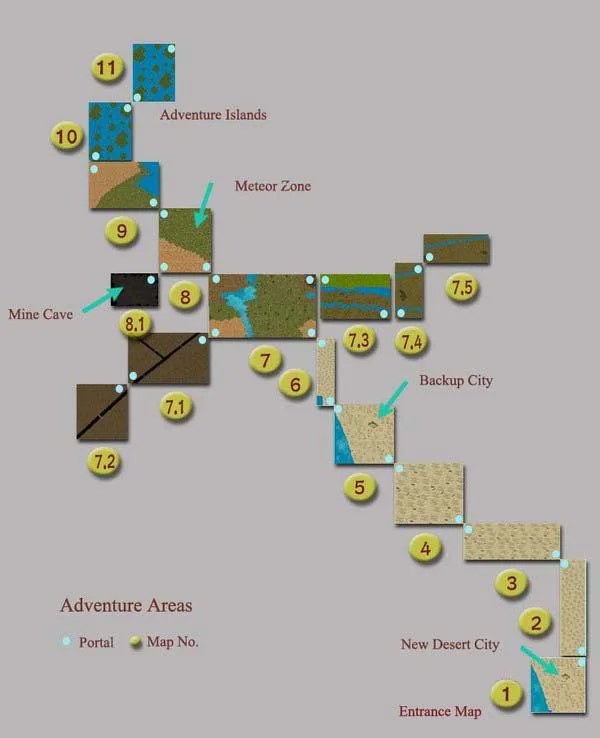
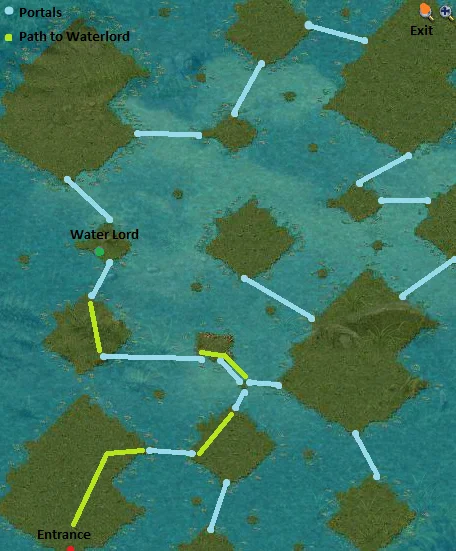
Use the route image below to navigate the WaterLord islands and find the return path toward Stone City. The map contains repeated-looking sections, so track the portals you have already used.
Symptoms: The game UI appears offset, clipped, or scaled incorrectly.
Common cause: Windows is rendering the app at a non-100% DPI scale, which Conquest's engine does not handle automatically.
Symptoms: Conquest crashes or freezes unexpectedly shortly after logging in.
Common cause: Missing or outdated Microsoft Visual C++ Redistributable runtime files.
requirements subfolderVC_redist.x86.exe and follow the installer promptsSymptoms: Patcher shows "Update failed: access to the path is denied".
Common cause: A Conquer process from a previous session is still running in the background, locking the files the patcher needs to overwrite.
Random mode selected each round from 11 event types.
Random mode.
A server-wide warning and Twin City invitation are sent 10 minutes before the spawn.
Each class fights separately. A bracket with at least 2 competitors pays its winner 6 Event Points and the Top Class halo.
Random mode.
Random mode.
Random mode.
Guilds fight repeated Pole-capture rounds; the latest holder at finalization wins the war.
Random mode.
Winner guild receives +25% EXP below 130 and +10% Prestige XP until the next war, plus Guild Hall access.
A server-wide warning and Twin City invitation are sent 10 minutes before the spawn.
Standard random modes run through 16:00. Weekly PK replaces the 20:00 slot and requires at least 2 competitors to pay its 6-point winner reward.
Lab 1–4 spawn at 00:00 and 12:00 Central Time (CT). If the server was offline for a slot, that spawn is skipped — no catch-up.
Spawns Wednesday at 19:00 and Sunday at 15:15 Central Time (CT) after a 10-minute warning and invitation. Missed slots are not replayed, a second copy is never created while one is alive, and an undefeated spawn despawns after 90 minutes.
Every 4 hours at 00:00, 04:00, 08:00, 12:00, 16:00, and 20:00 Central Time (CT). Same no catch-up rule.
Respawn 1 hour after kill. If still alive through a restart, the next spawn is the next top-of-hour — they no longer appear instantly when the server boots.
SnakeKing respawns 2 hours 30 minutes after death and preserves a still-future timer through a restart. If that timer expired while offline, a fresh 2-hour-30-minute timer begins on boot. WaterLord uses its normal 15-minute death timer.
These bosses spawn on a fixed schedule.
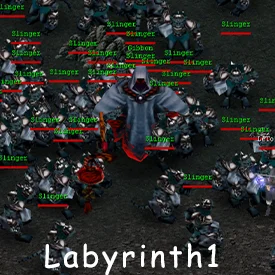
Independent: SunBox 12.5% · DragonBall 40% · CelestialStone 15%.
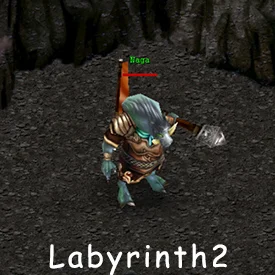
Independent: SunBox 12.5% · DragonBall 40% · CelestialStone 16.5%.
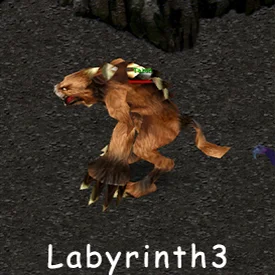
Independent: SunBox 12.5% · DragonBall 40% · MoonBox 17.5%.
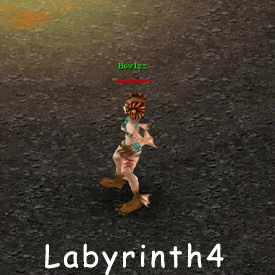
Independent: SunBox 15% · DragonBall 50% · MoonBox 20%.
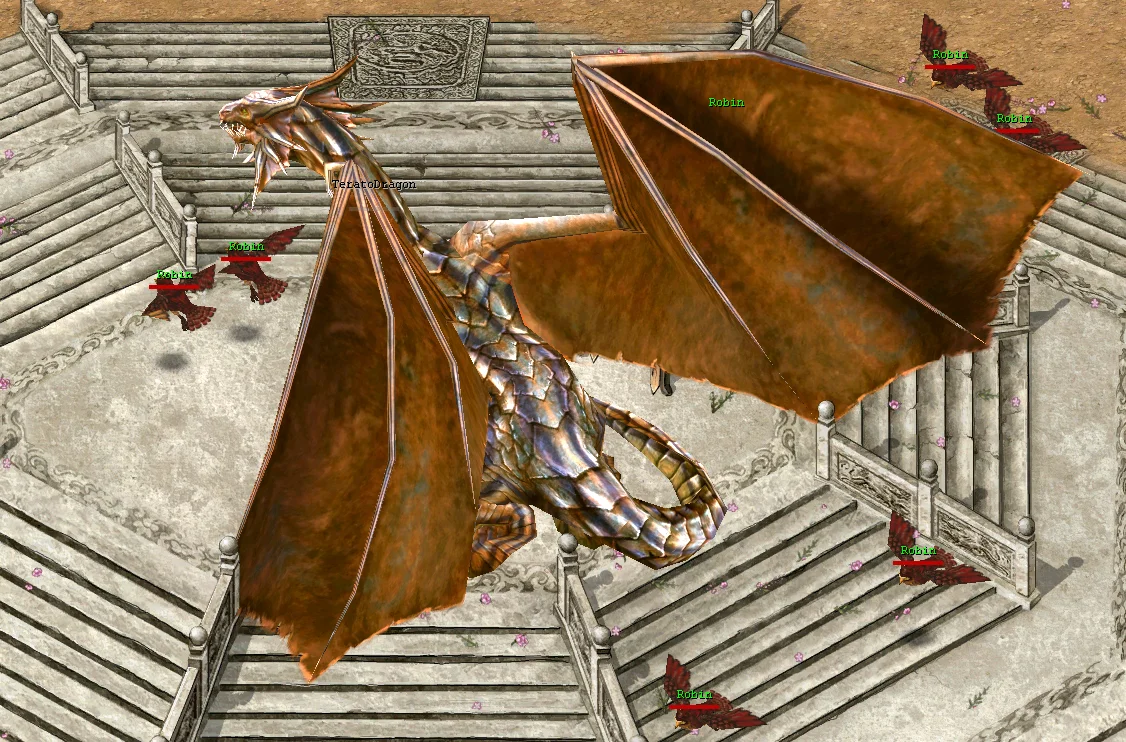
Up to 8 bound personal ExpPills · guaranteed DragonBall · exclusive bonus roll · independent 2% Legendary Dragon Ball.
A twice-weekly, multi-phase world-boss encounter at the Twin City altar, designed for a coordinated group of 3–5 players in mid-tier gear.
While Terato Dragon is alive, the fixed 32-tile circle centered on the Twin City altar (564, 792) becomes a free-PK arena. It deactivates as soon as the live boss is killed or despawns.
Up to 8 personal rewards are issued per kill. Participation and duplicate-client limits apply, and a participant qualifies by meeting any one of these contribution thresholds:
| Contribution | Qualification Threshold |
|---|---|
| Boss damage | At least 2% of Terato Dragon's maximum HP |
| Healing | At least 10,000 HP healed during the encounter |
| Reviving | At least one successful player revive during the encounter |
Every eligible qualifying participant receives 1 character-bound ExpPill, which grants x3 EXP for 2 hours and cannot be sold, traded, or dropped. The kill also creates one server-wide economy bundle shared across the qualified participants.
| Reward | Amount | Chance | Delivery |
|---|---|---|---|
| ExpPill | 1 per eligible qualifying recipient | Guaranteed | Character-bound personal reward |
| DragonBall | 1 | Guaranteed | Ground economy reward |
| Meteor Scroll | 1 | 40% | Exactly one exclusive bonus reward |
| MoonBox | 1 | 25% | |
| Incubator Egg | 1 | 20% | |
| Second DragonBall | 1 | 15% | |
| Legendary Dragon Ball | 1 | 2% independent | Additional ground economy reward |
Each ground economy reward is randomly reserved for one of the qualified participants. Failed ground placement or a full recipient inventory does not destroy a reward; delivery is queued for the intended recipient instead.
accession4 map effect. A Legendary Dragon Ball is further distinguished by a center-screen announcement and a short screen shake for its recipient.These bosses begin their respawn timer when killed. SnakeKing's future timer is persisted exactly; its 2-hour-30-minute interval does not align to a wall-clock slot.
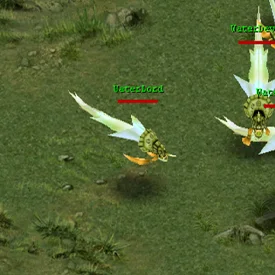
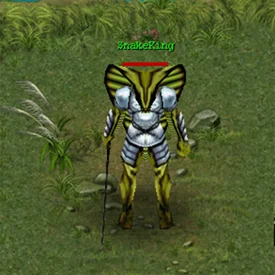
Guaranteed Meteor Scroll · DragonBall 40% · independent gem, money-bag, and Profession Token rolls.
Rare monsters at fixed map locations with unique drops. Screenshots below mark each spawn area.
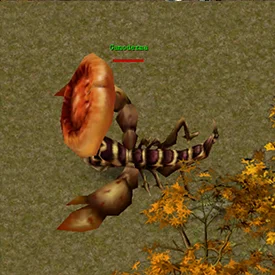
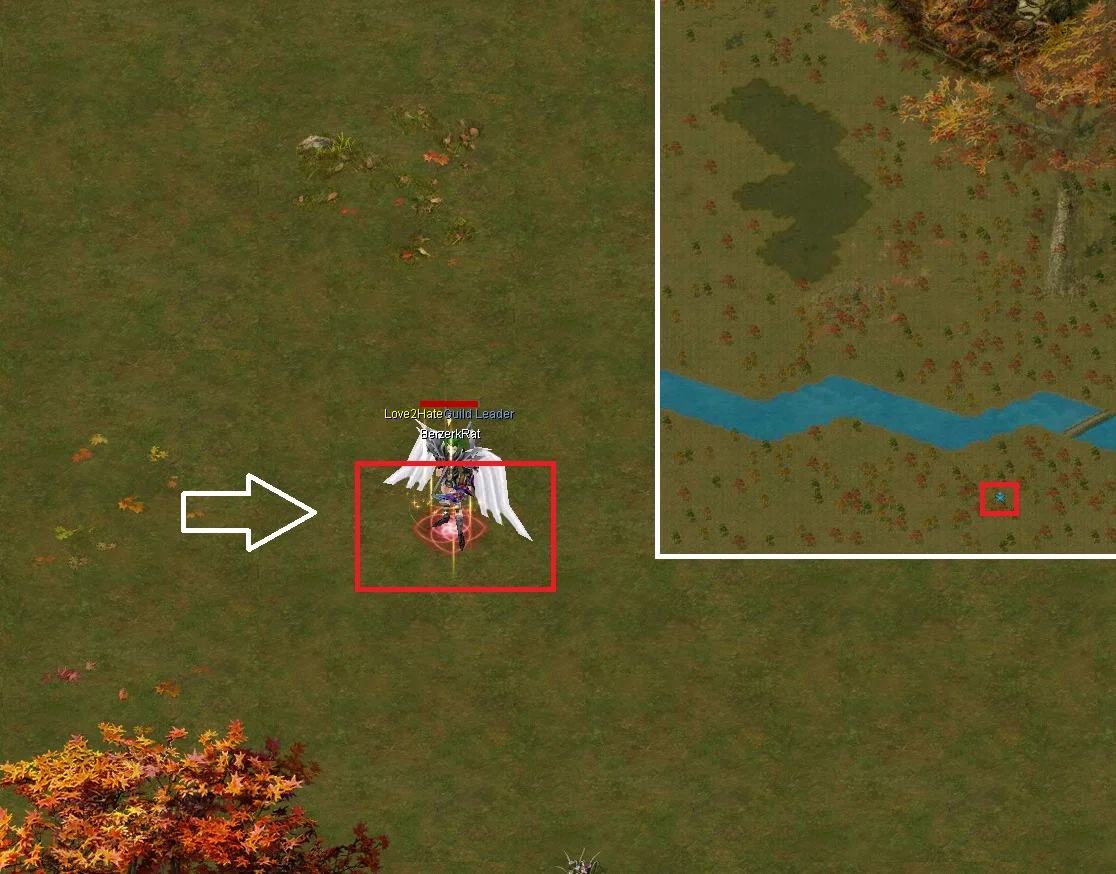
ExpPill (x3 EXP for 2 hours) — 37.5% · DragonBall — 32.5%.
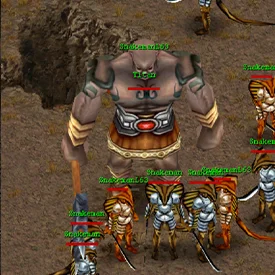
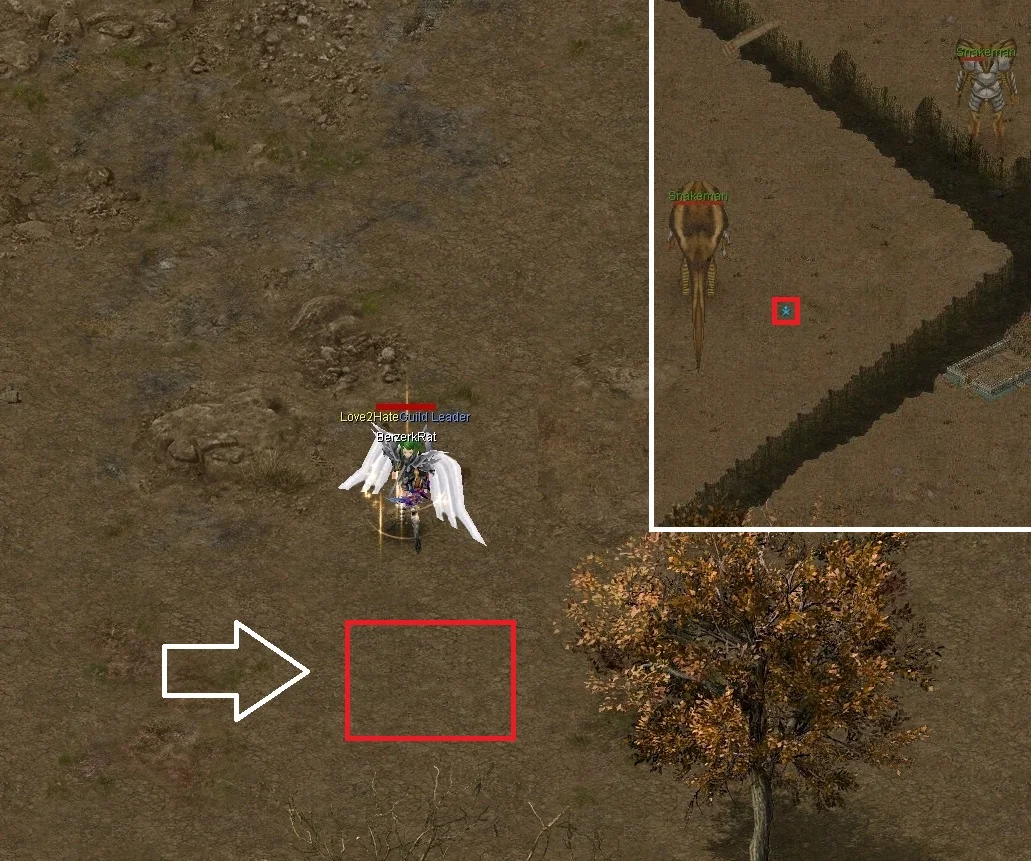
Two independent 40% DragonBall rolls · ExpPill (x3 EXP for 2 hours) — 37.5%.
Every percentage below is an independent roll, so one kill can award more than one item.
| Floor boss | SunBox | DragonBall | Additional reward |
|---|---|---|---|
| Lab 1 — Gibbon | 12.5% | 40% | CelestialStone — 15% |
| Lab 2 — Naga | 12.5% | 40% | CelestialStone — 16.5% |
| Lab 3 — Talon | 12.5% | 40% | MoonBox — 17.5% |
| Lab 4 — Syren | 15% | 50% | MoonBox — 20% |
Both boxes now use the same reward rules. The top-level checks are independent; equipment modifiers are rolled only when the equipment check succeeds. Keep four additional bag spaces open for the maximum five-item result.
| Reward | Chance | Notes |
|---|---|---|
| Meteor Scroll | Guaranteed | 1 scroll in every box |
| Equipment | 75% | Starts Refined; 15% promotion check at each quality step through Super |
| DragonBall | 10% | Independent |
| DragonBall Scroll | 0.10% | Independent |
| Super Dragon Gem | 0.5% | Independent |
Trade each diamond type with Simon in the Laboratory. Each color has its own reward pool.
Grants an AncestorBox using the shared SunBox/AncestorBox table above.
Equipment has a conditional 70% +1 chance and retains the published quality/socket ladders.
Reach level 130 after Second Rebirth to unlock Prestige. Open the Prestige window from your Status panel to track progress and spend points.
Every Prestige level awards 1 allocation point, up to Prestige 100. Your choices stay in place until a full reset, so build for the content you actually play.

Start with the effect you need. Exact scaling and curve checkpoints are available under Advanced Combat Math below.
| Attribute | What It Changes |
|---|---|
| Life | Maximum HP. |
| Physical Attack | Final melee, weapon-skill, and bow damage. |
| Physical Defense | The Defense stat used against physical hits. |
| Magic Attack | Final spell damage. |
| Magic Defense | Reduces final incoming magic damage. |
| Monster Attack | Physical and magic damage dealt to monsters. |
| Monster Defense | Physical damage received from monsters only. |
These are complete P100 templates. The two maximum-damage allocations are calculated from the active curves; survival templates trade some peak damage for durability.
| Build | Allocation | Best For |
|---|---|---|
| Weapon / Bow DPS | 86 Monster Attack / 14 Physical Attack | Maximum physical PvE damage. |
| Spell DPS | 75 Monster Attack / 25 Magic Attack | Maximum magical PvE damage. |
| Safe Physical Farm | 60 Monster Attack / 15 Monster Defense / 15 Life / 10 class Attack | Physical-mob zones and relaxed farming. |
| Magic-Mob Farm | 65 Monster Attack / 20 Magic Defense / 10 Life / 5 class Attack | Magic-heavy zones where Monster Defense cannot help. |
| Physical PvP | 65 Physical Attack / 20 Physical Defense / 15 Life | Weapon, melee, and bow pressure. |
| Magic PvP | 60 Magic Attack / 25 Magic Defense / 15 Life | Spell pressure with final magic mitigation. |
| Frontline Support | 35 Life / 30 Physical Defense / 30 Magic Defense / 5 flex | Mixed survivability; put flex into your main attack. |
| Attribute | Scaling |
|---|---|
| Life | +100 HP per point; no diminishing returns. |
| Physical Attack | Standard diminishing-returns curve. |
| Physical Defense | Standard diminishing-returns curve. |
| Magic Attack | +1% per point; no diminishing returns. |
| Magic Defense | Standard diminishing-returns curve. |
| Monster Attack | Monster-attack diminishing-returns curve. |
| Monster Defense | 3% per point through P15, then diminishing returns toward 75%. |
Monster Attack diminishes immediately. Monster Defense alone grants exactly 3% per point through its first 15 points, then moves onto a diminishing tail.
| Points | Standard Curve | Magic Attack | Monster Attack | Monster Defense |
|---|---|---|---|---|
| 15 | 15% | 15% | 45% | 45% |
| 30 | 26.1% | 30% | 78.3% | 56.3% |
| 60 | 41.4% | 60% | 124.1% | 64.3% |
| 100 | 54.1% | 100% | 162.2% | 68.2% |
Standard curve means Physical Attack, Physical Defense, and Magic Defense. At 15 points it produces exactly 15%; later points produce progressively less.
Monster Attack and the matching class attack stat are added together and applied as one final PvE bonus. They do not multiply each other.
Prestige requirements rise across P0–P100. Monster strength, equipment, active bonuses, and PK deaths determine each player's actual pace.
Prestige monster XP follows its own smooth health-and-level curve. It does not inherit normal leveling's grey-monster penalty or special monster EXP multipliers. Weaker hunting zones remain useful, while tougher endgame monsters remain the fastest progression.
Birdmen are an accessible starting route while you are still gearing, but their lower base reward makes them slower. Frozen Grotto becomes the faster progression route once your equipment can kill and survive its monsters efficiently.
Prestige uses its own progression rate, separate from the server's normal-leveling rate. Rainbow Gems, EXP boosters, server EXP events, Legendary Dress, and Guild War add together without a Prestige bonus cap. Heaven Blessing does not increase Prestige XP. Passive team-share, spouse, newbie, and Water bonuses do not award Prestige; progress comes from your own qualifying monster damage and kills.
| Prestige Band | XP Lost on a Player Death |
|---|---|
| P0–P49 | 5% of that level's requirement |
| P50–P74 | 4% of that level's requirement |
| P75–P89 | 3% of that level's requirement |
| P90–P100 | 2% of that level's requirement |
Loss applies only in non-PK-free maps, never exceeds the XP currently in your bar, and is capped at roughly 3 hours of reference farming. A complete stat reset costs 10 DragonBalls and can be performed once every 7 days.
Ranking uses Prestige level first, earliest UTC time reaching that level second, and character UID only as the final tie-break. Partial-bar XP does not change rank.
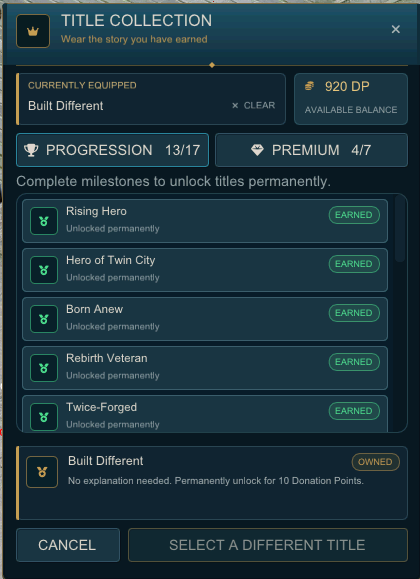
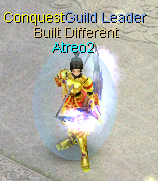
Your equipped title appears as its own overhead line. Clearing it hides only the title; your character and guild names remain unchanged.
Progression titles are awarded automatically when the character satisfies their live requirement. Counted goals display numerical progress in the collection; other locked rows explain the exact milestone on hover. No NPC claim or Donation Point payment is required.
| Title | Requirement | Track |
|---|---|---|
| Rising Hero | Reach character level 70 | LEVEL |
| Hero of Twin City | Reach character level 120 | LEVEL |
| Born Anew | Complete First Rebirth | REBIRTH |
| Rebirth Veteran | Complete First Rebirth | REBIRTH |
| Twice-Forged | Complete Second Rebirth | REBIRTH |
| Peak of Power | Reach the maximum character level: 130 | LEVEL |
| Prestige Master | Reach Prestige level 100 | PRESTIGE |
| Perfected | Obtain a maximum-composition +9 equipment item | EQUIPMENT |
| Peerless | Equip Super headgear, necklace, armor, ring, boots, and a complete Super weapon set | EQUIPMENT |
| Monster Hunter | Defeat 5,000 monsters | HUNTING |
| Exterminator | Defeat 50,000 monsters | HUNTING |
| Terato's Bane | Deal the final blow to the scheduled Terato Dragon | BOSS |
| Dragon Slayer | Deal the final blow to the scheduled Terato Dragon | BOSS |
| Meteor Chaser | Personally loot 100 Meteors dropped by monsters | LOOT |
| Dragon Seeker | Personally loot 10 Dragon Balls dropped by monsters | LOOT |
| Treasure Hunter | Personally loot an Elite or Super equipment drop from a monster | LOOT |
| Treasure Seeker | Personally loot an Elite or Super equipment drop from a monster | LOOT |
Loot goals count qualifying monster drops credited directly to the character, including supported automatic pickup. Buying, trading, receiving, withdrawing, or moving an existing item does not advance a personal-loot title. Terato titles require the final blow against the scheduled encounter.
Premium titles are optional cosmetic expressions. Each costs 10 Donation Points the first time that character unlocks it; equipping it again later costs nothing.
| Title | Style | Price |
|---|---|---|
| Main Character | Because every great story needs a star. | 10 DP |
| Certified Menace | For players who leave a little chaos behind. | 10 DP |
| Arena Royalty | Bring champion energy wherever you go. | 10 DP |
| Chaos Coordinator | Keeping the adventure organized was never part of the plan. | 10 DP |
| Twin City Icon | Turn every Twin City visit into an entrance. | 10 DP |
| Living Legend | Why wait for history to catch up? | 10 DP |
| Built Different | No explanation needed. | 10 DP |
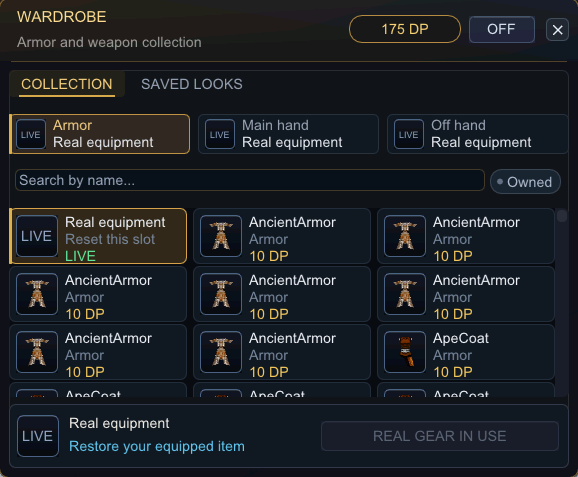
The Wardrobe is visual only. Your real armor and weapons remain equipped and continue to provide all stats, sockets, quality, durability, and combat effects. Closing the window does not remove an equipped look; use the ON/OFF switch to disable or reapply all Wardrobe overrides.
A Wardrobe weapon must match the category of the real weapon equipped in the same hand. If equipment changes make a selected appearance incompatible, that slot is automatically turned off; the permanent unlock is retained.
| Wardrobe Slot | Supported Categories | Rule |
|---|---|---|
| Main hand | One-handed, backsword, two-handed, bow | Must match the real main-hand weapon category |
| Off hand | One-handed weapons only | Requires a compatible real off-hand weapon |
The Saved Looks tab provides six named preset slots. Save the current combination of owned armor and weapon appearances, load a preset to equip it, or clear a preset you no longer need. Presets and the active Wardrobe state are stored by the server and survive relogs.
| Attempt | Success Chance |
|---|---|
| 1–10 | 10% |
| 11 | 15% |
| 12 | 25% |
| 13 | 40% |
| 14 | 65% |
| 15 | Guaranteed |
| Icon | Slot | Effect |
|---|---|---|
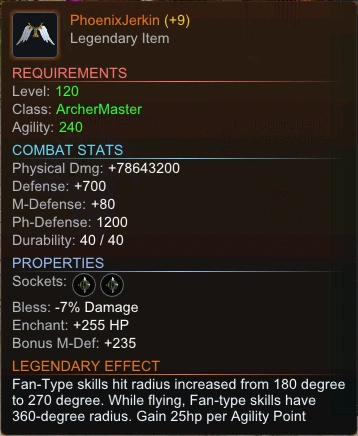 | Archer Coat | Fan-type skills cover a 270-degree arc instead of 180 degrees. While flying, they cover a full 360 degrees. Gain +25 HP per Agility point. |
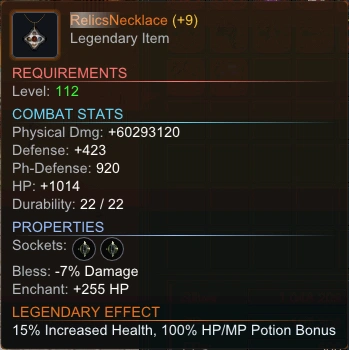 | Necklace | +15% Increased Health — multiplied last, after all other HP sources including Prestige Life. Also grants 100% HP/MP Potion Bonus. |
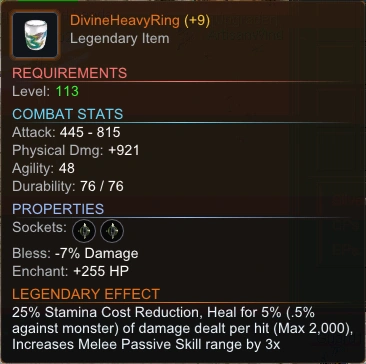 | Ring | 25% Stamina Cost Reduction, Life Leech — heals 5% of melee damage dealt (0.5% vs monsters), capped at 2,000 HP per hit. Increases Melee Passive Skill range by 3x. (Uses Heavy Ring or Attack Ring appearance) |
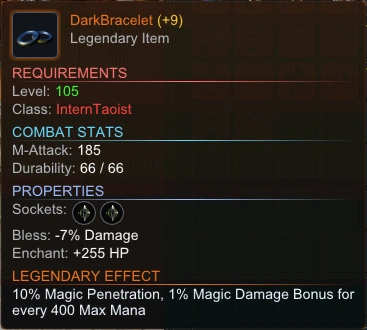 | Bracelet | 10% Magic Penetration and 1% Magic Damage Bonus for every 400 Max Mana. |
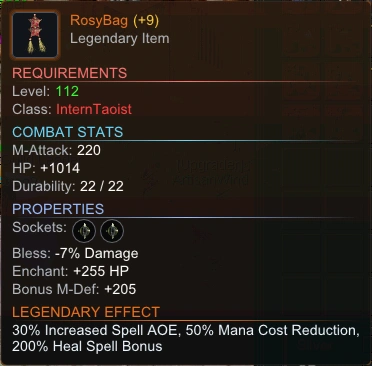 | Bag | 30% Increased Spell AOE, 50% Mana Cost Reduction, 200% Heal Spell Bonus. |
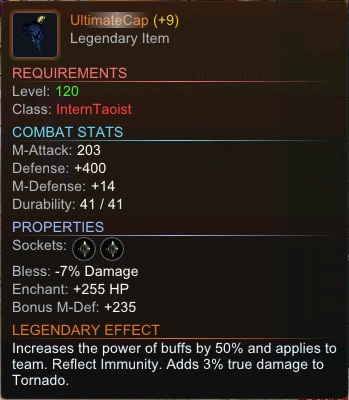 | Taoist Cap | Increases the power of buffs by 50% and applies to team. Reflect Immunity. Tornado deals additional true damage equal to 3% of Tornado's pre-defender damage basis. |
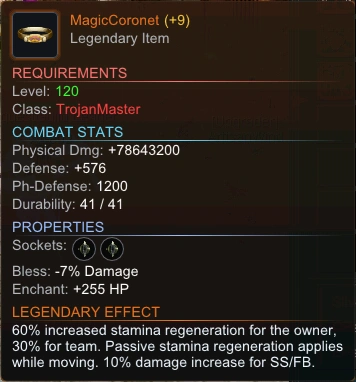 | Trojan Coronet | 60% increased stamina regeneration for the owner, 30% for team. Passive stamina regeneration applies while moving. Super Strike and Flying Blade (skills 1045/1046) deal 10% more damage. |
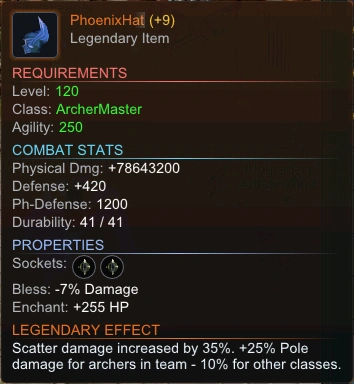 | Archer Hat | Scatter (skill 8001) deals 35% more damage. Also grants +25% damage to the Guild War pole for archers, or +10% if any archer is on your team. |
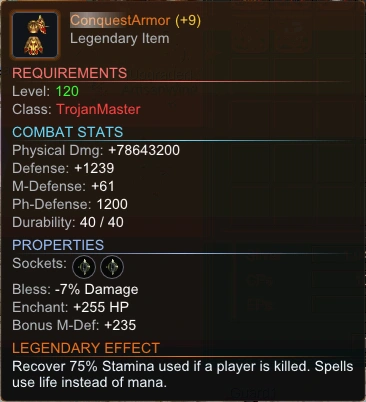 | Trojan Armor | Recover 75% Stamina used if a player is killed. Spells consume HP instead of Mana. If HP is insufficient for the cost, the spell uses mana normally. |
| Icon | Slot | Effect |
|---|---|---|
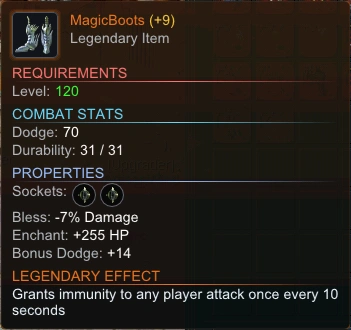 | Boots | Immunity proc — Grants immunity to any player attack once every 10 seconds. Fires automatically; no player action required. |
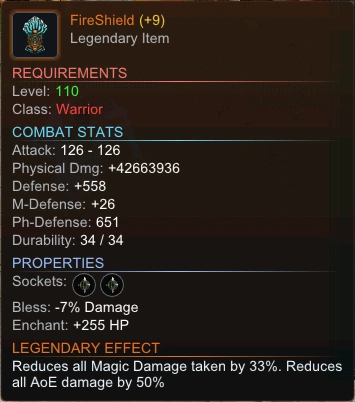 | Shield | Reduces all incoming magic damage by 33%. Reduces all AoE damage by 50%. If a hit is both magic and AoE, only the stronger 50% reduction applies. |
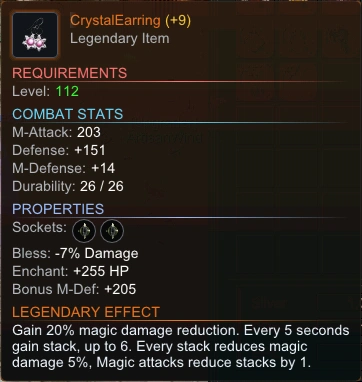 | Earrings | Gain 20% magic damage reduction. Every 5 seconds gain a stack, up to 6. Every stack reduces magic damage 5%. Magic attacks reduce stacks by 1. |
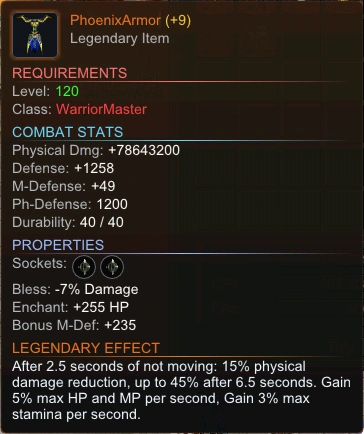 | Warrior Armor | Melee/ranged physical damage reduction while stationary: −15% after 2.5s, −45% after 6.5s. Timer resets immediately on movement. Gain 5% max HP and MP per second. Gain 3% max stamina per second. |
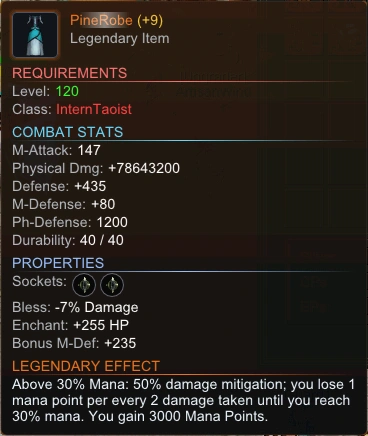 | Taoist Robe | +3,000 Max Mana. While Mana >30%, 50% damage mitigation; you lose 1 mana point for every 2 damage taken until you reach 30% mana. |
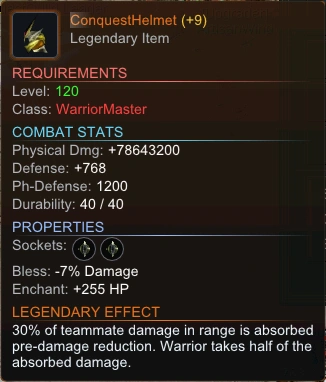 | Warrior Helmet | Team damage share — 30% of teammate damage in range is absorbed pre-damage reduction. Warrior takes half of the absorbed damage. One share per hit, first valid teammate wins. |
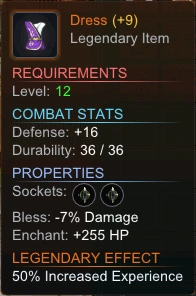 | Dress | +50% Increased Experience. |
| Rarity | Affinity Chance | Visual | Chance from Egg |
|---|---|---|---|
| Common | 10% | No aura | 91% |
| Rare | 15% | Sparkle Halo | 8% |
| Epic | 20% | Sparkle Halo | 1% |
See the full player command reference, including commands available without VIP.
While VIP is active, standard Warehouse capacity increases from 20 to 40 item slots. Market Warehouse already provides 40 slots with or without VIP. Remote Warehouse access lets you use available storage without returning to its NPC.
Open the in-game VIP Center → Loot Settings to control which ground drops stay easy to spot and whether eligible Pet Eggs or Proficiency Tokens are picked up automatically. Ground highlighting only changes how items look on your client; automatic pickup is a separate VIP perk.
| Toggle | Highlights |
|---|---|
| Loot Filter (master) | Enables or disables all category highlighting at once |
| Plus Items | Equipment and items with a plus value |
| Refined / Unique / Elite / Super / Blessed | Matching equipment quality tiers |
| Meteors | Meteor and Tear of Heaven drops |
| DragonBalls | DragonBall and DBScroll drops |
| Gold | Silver piles on the ground |
VIP players can spend unspent stat points from the in-game VIP Center → Stat Points submenu. Choose a bulk amount (1, 5, 10, 25, or All), then tap +N on STR, AGI, VIT, or SPI. The VIP-only chat commands below provide the same bulk-allocation behavior.
While VIP is active, normal monster-dropped Meteors go straight to your inventory and still count toward automatic Meteor Scroll packing. Silver drops send 15% to your inventory; the rest stay on the ground. Equipment, +1 Meteors, and other item drops still land on the ground.
Pet Eggs and Proficiency Tokens each have their own automatic-pickup toggle under client Loot Settings. Both toggles start enabled and either one can be disabled without changing the other.
If inventory space or another award check prevents automatic pickup, the item is left on the ground instead of being lost. When Meteor drop alerts are enabled, the message includes the item's exact X,Y coordinates.
Automatic pickup perks are disabled in Meteor Zone. Ground highlighting is client-side and works everywhere.
Launch VIP begins (14:00 UTC) and ends (14:00 UTC). It is a server-wide promotion with one fixed, end-exclusive cutoff—not seven days granted when an account or character is created. A player who first joins on the sixth day receives only the time remaining before that shared deadline.
Launch VIP includes the normal VIP conveniences listed above except Auto-Mining. The /automine command requires stored purchased or earned character/account VIP time, or a Mining Pass.
Character or account VIP time purchased or earned during the active Launch VIP window begins after the shared cutoff, so the promotion does not consume that regular VIP time.
VIP duration is wall-clock time and continues to expire while you are offline. Character VIP applies only to the rewarded character; Account VIP applies to every character on that account.
| Condition | Reward per 60 Eligible Minutes |
|---|---|
| 60 eligible active minutes (standard) | 1 OP |
| 60 eligible active minutes with Discord activity sharing enabled | 2 OPs |
| Reward | Cost | Notes |
|---|---|---|
| Attack Potion | 1 OP | Character-bound temporary attack buff |
| Defense Potion | 1 OP | Character-bound temporary defense buff |
| Bound ExpBall | 2 OPs | Physical bound item; the normal 10-use-per-24-hour consumption limit applies |
| Profession Token | 2 OPs | Character-bound |
| 1 hour of Double EXP | 8 OPs | Adds one online hour; pauses while offline or during Triple/Quadruple EXP. Purchase after a stronger booster ends. |
| 12 hours of Heaven's Blessing | 15 OPs | Extends an existing blessing |
| 1 Day VIP | 24 OPs | Extends if VIP is already active |
| Reward | Cost | Notes |
|---|---|---|
| 1 hour of Double EXP | 1 VP | Adds one online hour; pauses while offline or during Triple/Quadruple EXP. Purchase after a stronger booster ends. |
| 2 hours of VIP | 1 VP | Extends if VIP is already active |
| 1 Labyrinth entry (2,000 Virtue Points) | 1 VP | Grants enough Virtue Points for one entry |
| 2 bound ExpBalls | 1 VP | Physical bound items; the normal 10-use-per-24-hour consumption limit applies |
| 12 hours of Heaven's Blessing | 3 VPs | Extends an existing blessing |
Each claimed vote adds one credit to the weekly ranking. The top voter receives 500 CPs every Monday. Ties are resolved deterministically in favor of the player who reached the tied total first.
| Milestone | Reward | Delivery |
|---|---|---|
| 1st player referred | 1 hour of Triple EXP | Instant (queued if offline) |
| 3rd player referred | 15 days VIP | Instant (queued if offline) |
| 5th player referred | 15 days VIP | Instant (queued if offline) |
| All other referrals | 1 ExpBall | Instant (queued if offline) |
Any new player who enters a valid referral code before reaching level 130 receives 1 ExpBall as a welcome gift.
Use /pvp or /joinpvp at any time to enter the permanent PvP waiting and shop area, whether or not an event is running. The Event Points Shop is at (54, 52). You must be alive and outside jail or timeout; characters already enrolled in an active PvP event cannot use the command to leave it. During an open invitation, only active characters who meet the mode-specific level, promotion, and equipment requirements are entered into the event, but other visitors can still use the shop.
During PvP events and DuelMaster bot or player duels, FastBlade (1045), ScentSword (1046), and ViperFang (1047) are temporarily set to their maximum levels. Skills you already knew return to their original level and experience as soon as you leave the event or duel map. Any skill you did not know is taught for the match, then remains learned at Elementary level 0 with 0 experience afterward. Temporary max levels do not gain skill experience.
| Event | Format |
|---|---|
| Vampire War | Everyone has 10,000 HP; each hit drains 1,000 from the target and heals the attacker |
| FastBlade FFA | Free-for-all deathmatch, individual scoring |
| Last Man Standing | Elimination — last player alive wins |
| Death Match | Eight-minute kill-count match with respawns |
| One Hit KO | Any hit kills instantly — pure reaction gameplay |
| Elite PK | Eight-minute elimination scoring with respawns |
| Freeze Tag | Individual freeze-and-score event |
| Weekly PK | Level 120+ championship; winner keeps the Weekly PK halo until the next event |
| FreezeWar | Team freeze variant with larger groups |
| Team Death Match | Team-based kill scoring |
| Kill The Captain | One player per team is the Captain — focus fire to win |
| Pass The Bomb | Pass the bomb before its ten-second timer eliminates the holder |
| Result | Event Points | Requirement / Notes |
|---|---|---|
| Competitive standard-event winner | 2 | A genuinely contested standard match |
| Solo/default standard-event winner | 1 | Fallback award when the event was not genuinely competitive |
| Weekly PK winner | 6 | At least 2 competitors; includes the Weekly PK Champion halo |
| Class PK bracket winner | 6 | At least 2 competitors in that bracket; includes the Top Class halo |
| Weekly Event Participation quest | 6 | One weekly claim after meaningful participation in 4 different scheduled event runs; also grants 75%–250% of a normal level or, when eligible at level 130, 25,000 unboosted Prestige reference kills |
| Loser or AFK participant | 0 | No Event Points |
The Event Points Shop remains accessible through /pvp or /joinpvp at all times. The live catalog is:
| Item | Cost | Contents / Notes |
|---|---|---|
| ExpBall | 1 | One Experience Ball |
| Meteor Scroll | 4 | 10 Meteors |
| MegaMet Pack | 36 | 10 Meteor Scrolls |
| 3-Day VIP | 8 | Adds three days of VIP |
| Pet Egg | 15 | Hatches one affinity pet |
| Super Kylin Gem | 6 | Super quality |
| Super Fury Gem | 8 | Super quality |
| Super Violet Gem | 8 | Super quality |
| Super Moon Gem | 8 | Super quality |
| Super Phoenix Gem | 10 | Super quality |
| Super Dragon Gem | 10 | Super quality |
| Super Rainbow Gem | 10 | Super quality |
| Super Tortoise Gem | 12 | Super quality |
Every Wednesday at 22:00 Central Time (CT), a standalone Class PK tournament runs independently of the normal rotation. Fifth promotion is required. Each class competes in its own bracket — Trojan vs Trojan, Warrior vs Warrior, and so on. A bracket must have at least 2 competitors to pay Event Points; its winner earns 6 Event Points and the Top Class halo for that profession until the next Class PK.
| Day | City | Central Time (CT) |
|---|---|---|
| Monday | Phoenix City | 18:00 – 18:30 |
| Tuesday | Ape Mountain | 18:00 – 18:30 |
| Wednesday | Desert City | 18:00 – 18:30 |
| Thursday | Twin City | 18:00 – 18:30 |
| Friday | Bird Island | 18:00 – 18:30 |
When the event begins, an invitation popup will appear. If you happen to miss or dismiss the prompt, you can simply type /citywar in the chat at any time while the war is active to join the fight. The client option Event Invitations may hide City War and Terato prompts; guild-alliance invitations always bypass that setting and remain visible.
A Pole spawns in the target city at war start. Damage builds a round score, but destroying the Pole captures it for the killer's guild, recreates the Pole, and clears the round scores. The guild holding the Pole when the 30-minute event finalizes wins the city; this is not a weekend-long cumulative-damage contest.
A character can create a guild at level 90 for 1,000,000 silver through GuildDirector in Twin City (398, 392).
All guilds battle on Map 1038. Destroying the central Pole makes that guild the current round winner. After a ten-second intermission, a new round begins and the damage scores reset. The latest committed Pole holder at finalization becomes the overall winner and holds the title until the next war.
When the war finalizes, the winning guild receives the full progression bonuses and its direct allies at that moment are snapshotted for half-strength bonuses. Alliance changes made after the result do not add or remove reward eligibility. The bonuses remain active until the next Guild War begins and are paused during the active war window (Saturday 12:00 – Sunday 15:00 CT).
| Bonus | Who | Effect |
|---|---|---|
| Character EXP | Winning guild members below level 130 | +25% EXP, server-wide |
| Character EXP | Snapshotted allied guild members below level 130 | +12.5% EXP, server-wide |
| Prestige XP | Winning guild members at 2nd reborn, level 130+ | +10% Prestige XP, server-wide with no Prestige bonus cap |
| Prestige XP | Snapshotted allied guild members at 2nd reborn, level 130+ | +5% Prestige XP, server-wide with no Prestige bonus cap |
Prestige and character EXP bonuses are applied on separate paths — max-level Prestige farmers receive only the Prestige bonus, never the normal-leveling bonus.
The reward snapshot applies only to progression bonuses. Guild Hall and Hunting Map entry continue to follow the winner's current alliances.
Minimum Level: 110
Entry NPC: Solar Saint in Ape City (532, 480)
Inventory: Keep room for quest items and the final reward.
| Profession | Kills Required |
|---|---|
| Trojan | 800 |
| Warrior | 900 |
| Archer | 1,200 |
| Fire Taoist | 1,000 |
| Water Taoist | 600 |
| Item | Item ID |
|---|---|
| CleanWater | 721258 |
| MoonBox | 721020 |
| CelestialStone | 721259 |
Players donate silver throughout the week to unlock server-wide bonuses. Donations are accepted at any time; unlocked rewards run Friday 12:00 → Monday 00:00 Central Time (CT). The donation total resets when the event ends each Monday.
Milestones are cumulative — reaching a higher tier keeps every lower-tier bonus active for that weekend. Global EXP uses the highest tier reached (they do not stack additively).
| Community Total | Weekend Bonuses (when active) |
|---|---|
| 500M silver | Meteor Shower — +25% meteor drop rate |
| 1B silver | +2.5% global EXP |
| 2B silver | +10% plus-item drop rate & 5% global EXP |
| 3B silver | +15% DragonBall drop rate & 7.5% global EXP |
| 4B silver | 12.5% global EXP |
| 5B silver | +2 equipment — 10% of +1 equipment drops upgrade to +2 instead & 20% global EXP |
These events have no automatic rotation. Staff may start one occasionally; the server announcement states what is active and for how long. Only one staff-triggered PvE event runs at a time. Community Weekend remains a separate player-funded system.
| Event | Effect |
|---|---|
| DoubleRates | Activates the category caps: +50% Meteor, +25% ordinary DragonBall, +25% Plus item, and +100% upgrade-socket chance; quality and Legendary rates are unchanged |
| MeteorDropRate | Meteor drop rate +50% (category cap) |
| DragonBallDropRate | Ordinary DragonBall drop rate +25% (category cap) |
| PlusItemDropRate | +1 equipment generation +25% (category cap) |
| Experience | Double normal and Prestige experience for all players |
| SocketChance | Upgrade-action socket probability +100% (double the base chance) |
| HideAndSeek | Manual only: BlueMouse spawns in Market — each of the first five successful finds awards 1 DragonBall |
| First Rebirth | Second Rebirth | |
|---|---|---|
| Level | Water Taoist 110; all other professions 120 | Level 120+ |
| State | Not yet reborn; final promotion | Exactly first reborn; final promotion |
| Required item / quest | CelestialStone | Bring an ExemptionToken—from EvilAbyss, player trade, or the Donation Shop |
| NPC | Eternity — Market (298, 217) | Alex — Ape City (436, 311) |
| Choice | Receive a selected gem, or at level 120 choose Blessed rebirth for one eligible equipped item; choose your new profession | Blessed or selected gem rebirth; choose your new profession |
The intended no-purchase route is the full EvilAbyss quest, which awards the ExemptionToken needed by Alex. Because the token is tradable and also stocked by the Donation Shop, an acquired token may be used as the alternate quest-skip route.
If you choose a non-Trojan profession while an off-hand weapon is equipped, that weapon must move to your bag. Make a free slot first so the rebirth can complete safely.
Upon rebirth, your stats and attribute points reset based on your rebirth tier and previous levels. The reference image below shows the resulting progression breakpoints.
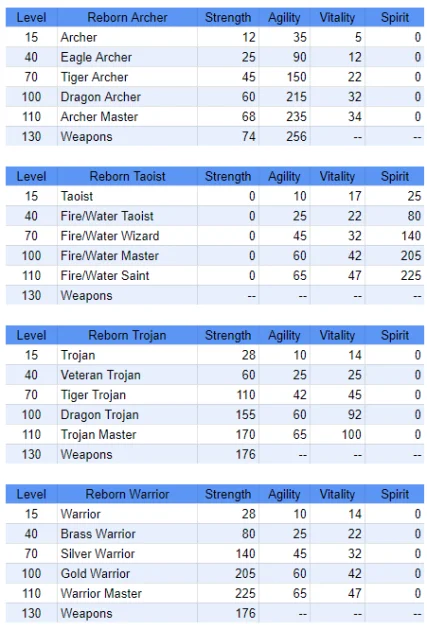
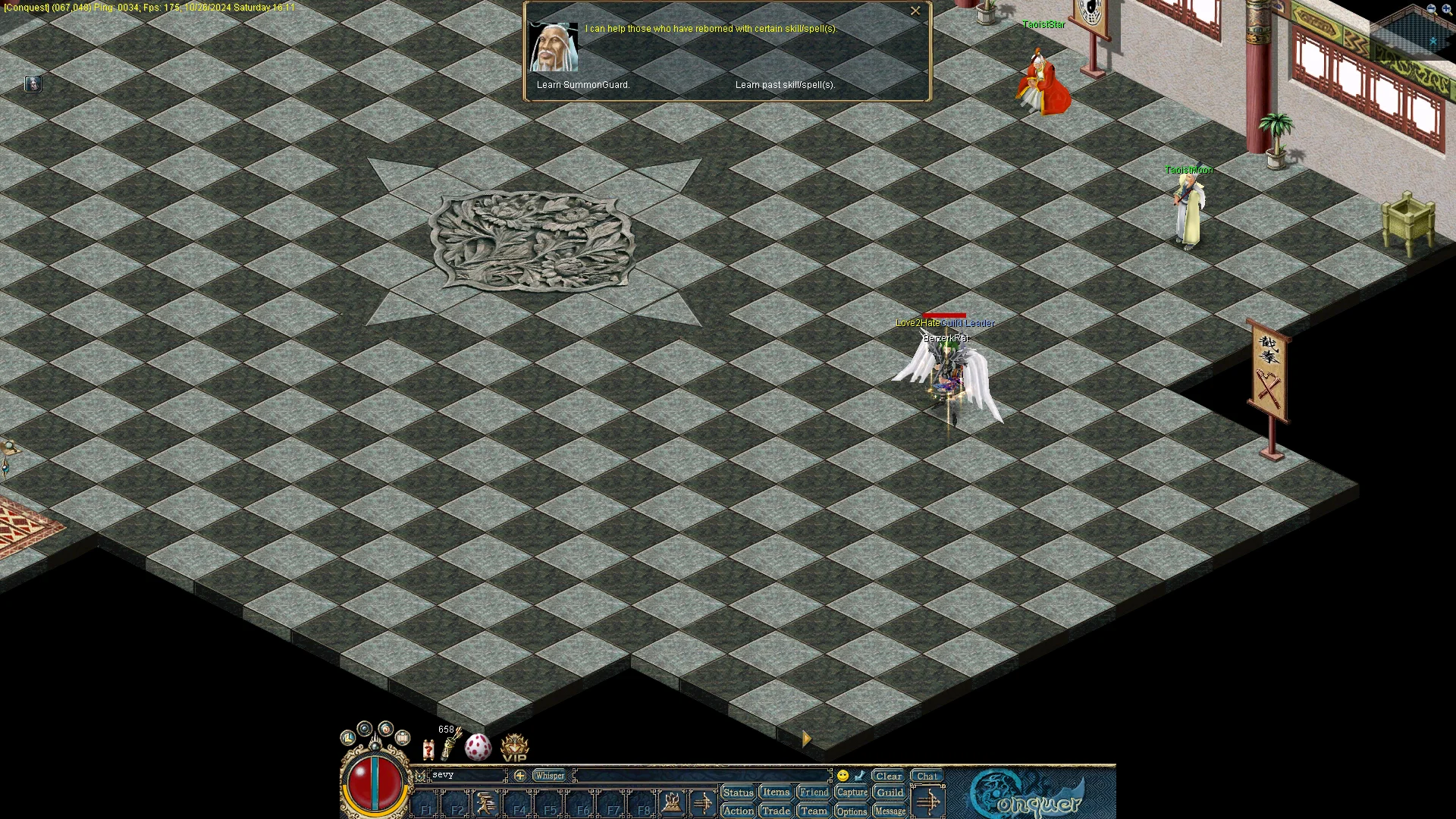
If you forgot to learn certain skills before you were reborn (such as DivineHare or other class-specific skills/spells), you can retrieve them by speaking to TaoistMoon and clicking "Learn Past skill/spells(s)".
The Lucky Time Zone is a circular area located in Twin City (Map 1002), centered around coordinate (438, 377) with a radius of 5 tiles. Walking into this area triggers the zone automatically.
| Effect | Value |
|---|---|
| Attacking a monster | 3% chance to double physical or magic damage |
| Attacking a player or NPC | 1% chance to double physical or magic damage |
| Receiving damage | 2% chance to avoid the hit |
Lucky Time charges while you are receiving the Lucky Time effect and is capped at 7,200 seconds (2 hours). Second-reborn characters absorb it faster than other characters. Once you are no longer receiving the effect, the stored timer counts down.
This server applies a rebirth and promotion-based damage stage:
| Target State | Attacker | Damage Kept at This Stage |
|---|---|---|
| Non-reborn | Any | 100% |
| First reborn, below third promotion | Any | 100% |
| First reborn, third promotion or higher | Any | 70% |
| Second reborn | Player below second rebirth | 50% |
| Second reborn | Monster or second-reborn player | 70% |
Prestige Magic Defense is applied as a separate diminishing-returns reduction to final incoming magic damage. It does not add to the character's magic-resistance stat or share a 75% cap with item stats.
When an item's quality level increases during the composition process (e.g., Refined to Unique), a socket roll is automatically triggered as part of the same action. This is not how retail handles the relationship between quality upgrades and socket chances.
Equipping a Legendary Necklace causes all HP and MP potions to restore twice their base value. This interaction does not exist in retail.
The Superman buff deals damage at custom multipliers against different target types: 3x against Bosses and 10x against regular monsters. Retail does not use this scaling.
Attacking an NPC named "Guard" applies a divide-by-10 damage divisor. "Guard2" applies divide-by-5. This is a deliberate server-side protection and not a retail mechanic.
Reborn characters at level 70+ can pay 1 DragonBall at CelestialTao to reset assigned attributes. The old repeatable “1 DB for 3 extra points” menu is disabled.
MoneyDropRules, RateBonusRules, and Love2HateUpgradePipeline.| Item / Route | Implementation | Rate | 1-in-N |
|---|---|---|---|
| Native gold / common equipment | RollBasePiles | Variable | Monster-specific |
| Silver amount scale | MONEY_DROP_RATE | 10.66667% of native amount | — |
| Potion burst trigger | CHANCE_POTION | 3% | 1:33.33 |
| Meteor | CHANCE_METEOR | 0.133333% | 1:750 |
| Meteor (Map 1210 +50%) | METZONE_BONUS | 0.2% | 1:500 |
| DragonBall | CHANCE_DRAGONBALL | 0.003125% | 1:32,000 |
| Profession Token | CHANCE_PROF_TOKEN | 0.00714286% | 1:14,000 |
| Legendary Dragon Ball | CHANCE_LEGENDARY_DRAGONBALL | 0.00011111% | 1:900,000 |
| Pet Egg | CHANCE_DROP_EGG | 0.002% | 1:50,000 |
Meteor Zone (Map 1210) intentionally skips the emulator-only Pet Egg, Profession Token, and Legendary Dragon Ball rolls. Its native rare-quality, potion, Meteor, and ordinary DragonBall streams still run.
Gold and common equipment do not have independent flat 10% and 20% kill rolls. The native pile event depends on monster level and drop_money; each resulting pile uses a 40% equipment branch when the pile value and monster item profile can generate a valid item.
Frozen Grotto floors 1–3 use the normal item generator and modifier pipeline through a dedicated equipment-only route. Its common and rare-quality equipment routes combine to supply exactly one +1 item per 850 kills in expectation. It includes Normal–Super quality, Bless, sockets, +1, and pet-affinity handling. Its deliberate exception is silver: Grotto monsters do not drop money piles.
| Outcome | Constant / Roll | Rate | 1-in-N |
|---|---|---|---|
| +1 equipment | CHANCE_PLUS | 0.526316% per generated equipment item | 1:190 per item |
| Refined quality | 250 / Random(50,000) | 0.5% | 1:200 |
| Unique quality | 63 / Random(50,000) | 0.126% | ~1:793.65 |
| Elite quality | 15 / Random(50,000) | 0.03% | 1:3,333.33 |
| Super quality | 1 / Random(50,000) | 0.002% | 1:50,000 |
| Single-socket eligible weapon | CHANCE_WEAPON_SOCKET | 15% | 1:6.67 |
| Dual-socket eligible weapon | CHANCE_SECOND_SOCKET | 5% | 1:20 |
| Bless on unsocketed equipment | CHANCE_BLESS_ONE | 0.333333% | 1:300 |
| Bless on unsocketed 440xxx | Random(60) | 1.666667% | 1:60 |
The four rare qualities share one global, exclusive roll per kill. Normal/common equipment comes from the native pile route, so it has no universal per-kill denominator. Pet affinity may change only the equipment family after a candidate exists; it preserves quality and does not add another candidate.
| Upgrade route | Implementation | Rate | 1-in-N |
|---|---|---|---|
| Direct DragonBall quality action | DirectDragonBallQuality | 0.666667% | 1:150 |
| Direct Meteor level action | DirectMeteorLevel | 0.166667% | 1:600 |
| Magic Artisan quality upgrade | MagicArtisanQuality | 0.4% | 1:250 |
| Magic Artisan level upgrade | MagicArtisanLevel | 0.125% | 1:800 |
Each route uses the same probability for opening the first or second vacant socket. Upgrade socket events can add at most +100% to these base probabilities.
effective rate = base rate × (1 + min(sum of fractional bonuses, cap)). Values are fractions: 0.10 is +10% and 1.00 is a true doubling.
These caps apply to the drop and socket categories below. Prestige XP bonuses are additive and uncapped.
| Category | Maximum acceleration | Notes |
|---|---|---|
| DragonBall | +25% | Ordinary DragonBalls only |
| +1 equipment | +25% | City War's +10% is inside this cap |
| Meteor | +50% | Map 1210 already reaches the cap |
| Upgrade socket event | +100% | Applies to the four upgrade-action routes above |
| Quality / Legendary / pet affinity | No rate bonus | Never boosted |
Applied in GuildWar.cs / Player.cs. Active for the persisted winner guild when Guild War is not running.
| Bonus | Constant | Value | Applied In |
|---|---|---|---|
| Character EXP (below 130) | VICTORY_EXP_BONUS | +25% | CalculateCharacterExperienceGain |
| Prestige XP (2nd reborn at level 130) | VICTORY_PRESTIGE_BONUS | +10% | CalculatePrestigeExperienceGain |